Best practices for social login

As noted in our last post on 2013 trends, using social login can help merchants individualize the shopping experience for brand followers. And research shows that consumers appreciate the option: according to marketing firm Monetate, 40% of shoppers prefer using social login to creating an account on the eCommerce site.

But despite the potential upside, few of the largest U.S. merchants have taken the opportunity to implement social login — just 30 of the merchants in Internet Retailer’s Top 500 have done so, according to marketing firm Sociable Labs. The threat of brand dilution posed by displaying other sites’ logos on the eCommerce site, and the fact that merchants don’t own the data shared by social login users, are perhaps among the reasons driving this reluctance. As a recent analysis by email service provider MailChimp demonstrated, the key is to avoid assuming social logins can solve all a site’s conversion and engagement challenges. Merchants need to assess the potential upside of social logins for their own unique brands and act accordingly.

Despite the caveats, we believe social logins have the potential to drive significant brand engagement, and worth pursuing. But doing so is more than a matter of simply putting a button on the first page of checkout. To maximize the effectiveness of social login, merchants should consider the following strategies:

Know which logins matter to your audience. By far the most popular social login is Facebook’s, according to the Monetate study; fully 60% of shoppers use it, while other social networks’ logins each have less than 15% share. Given that 66% of U.S. online adults use Facebook, according to the Pew Internet & American Life Project, most merchants considering social login should plan to implement Facebook Login. But depending on their audience, merchants should also consider adding logins from other social networks, from Twitter to LinkedIn. Careful study of analytics and an assessment of which social networks have the largest audience of brand followers can help merchants assess which logins to use. The key is to offer the right mix for the audience without presenting an overwhelming array of options for shoppers.

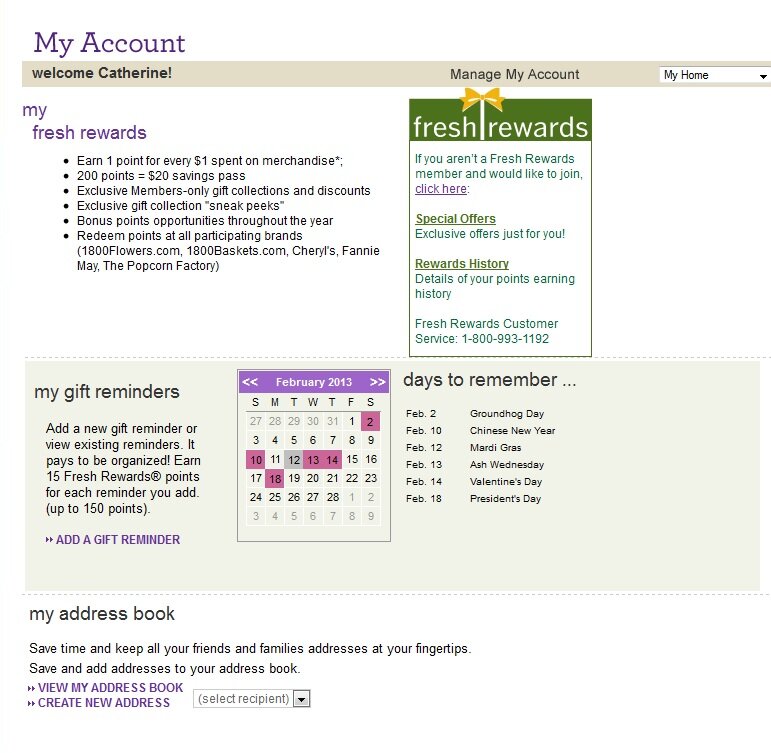
Integrate fully. Too many merchants who use social login go on to ask shoppers to set up a separate account password for the eCommerce site — but the aim of using social login should be to smooth the path to purchase, not erect more barriers. Of course merchants should strive to establish their own direct relationship with shoppers; but they should implement a phased approach that encourages existing social login users to deepen their relationship, rather than forcing the issue up front. 1-800-Flowers gives Facebook Login users full access to the eCommerce site’s account tools, such as reminder services and address book creation, without creating an additional password.

Facebook login example from 1-800-Flowers

Develop true social shopping opportunities. As a corollary to the above, merchants should make it worthwhile for shoppers to connect via social login by doing more than pre-populating a few checkout fields. Easily-shareable wish lists are a good starting point, but merchants should also develop shopping experiences that draw on shoppers’ social profiles to bring their network of friends and their personal preferences into play. Apparel merchant Charlotte Russe enables social login users to view a real-time stream of what items are being liked and commented on. Shoppers can filter the stream to view only their friends’ picks, and control whether their own selections are shared or not.

Facebook login example from Charlotte Russe

Merchants should also consider reminder services that incorporate social login users’ friend feeds. Amazon.com not only lets shoppers know which Facebook friends have birthdays coming up soon, but also makes gift recommendations based on friends’ prior purchases and history of product “likes” on Facebook.

Facebook login example from Amazon

Give users privacy controls — and message prominently. With Facebook and other social networks often grabbing headlines for privacy gaffes, it’s crucial for merchants to clearly outline how social login functionality will work, what user data will be culled from their social profiles, and what information will be shared with users’ friends by the merchant — and social login users should be able to exercise privacy control at multiple points along the engagement path. When designing their social login experiences, merchants should pay special attention to:

  • Signup messaging. Shoppers offered the option of a social login should understand the benefits and what information will be shared before beginning the process. Then, once they’ve opted to use the social login, they should be able to exercise control over how their information will be shared. On the first page of checkout, Wine.com gives shoppers an extensive explanation in a pop-up window of how Facebook Login works. Those who opt to use the social login are then notified of which data the tool will use and given the option to control how information is shared on the social network.

Social login example from Wine.com

  • Social login example from Wine.comSharing “likes.” When social login users add products to their list of favorites or “like” the items, they should be alerted to how that information will be shared — and given the option to edit the settings. Department store Barney’s launches a pop-up window when a shopper first uses the “Favorites” tool and lets shoppers select whether or not to share their picks.

Social login example from Barney's

  • Global control. From any page of the site, shoppers should be able to access their account and turn social sharing on or off; they should also be able to log out completely. Accessory retailer Claire’s offers a drop-down menu in the global navigation that enables shoppers to switch sharing on or off without leaving the browsing experience; users can also opt to log out completely. A fly-out help menu clearly delineates how sharing works and offers the further option of disconnecting from Facebook altogether.

Social login example from Claire's

Are you using or considering social logins for your site? Why or why not?

Webinar recap: Shopping without borders

If there’s one theme that emerged from last week’s webinar on trends for 2013, it’s that this year will see shopping escape the confines of the eCommerce site.

MarketLive founder Ken Burke explained how often-discussed but rarely-implemented concepts such as social commerce and multi-channel execution are due to come to fruition, resulting in an experience where shopping seamlessly blends with a consumer’s individual lifestyle. Rather than having to seek out products nested within eCommerce site categories, shoppers will be able to access items in new formats, presented with their individual devices, locations and situations in mind.

Finding new ways to marry shoppers’ preferences with products is an essential means of brand differentiation, which — as discussed in our preview of the webinar – will be merchants’ core challenge for 2013. By attuning technology to match shoppers’ priorities and the core identity of their brands, merchants can stand out in the crowd. A few top strategies the webinar covered:

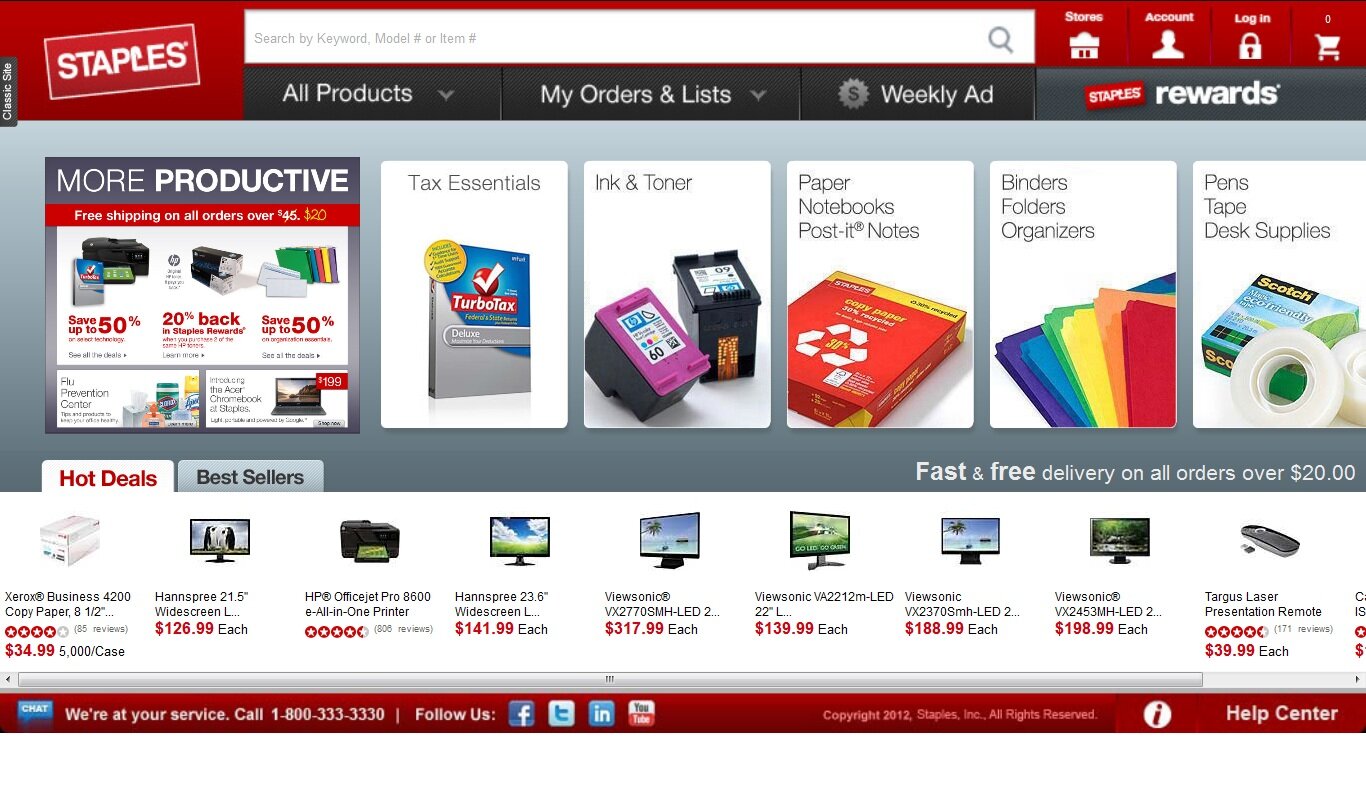
Designing tablet-specific experiences. Burke estimated that 25% of all online shopping now takes place on tablets — and there’s growing evidence that tablet shoppers are more likely to buy, and buy more, than mobile and perhaps even desktop shoppers. So it behooves merchants to take advantage of the devices’s unique properties — not only its screen size and swipe-and-tap navigation, but the environment in which shoppers use tablets. Tablet owners use them at home 74% of the time, according to eMarketer, while just over a third use them in stores. By contrast, the vast majority of smartphone owners go online on their devices from on-the-go locations, with 75% using them in stores, industry researcher Forrester found. Merchants should optimize the shopping experience for tablets with display-driven formats that enable swiping to browse, as Staples has done with a  tablet-specific site that includes an array of “hot deals” and best sellers for shoppers to swipe through.

Tablet example from Staples

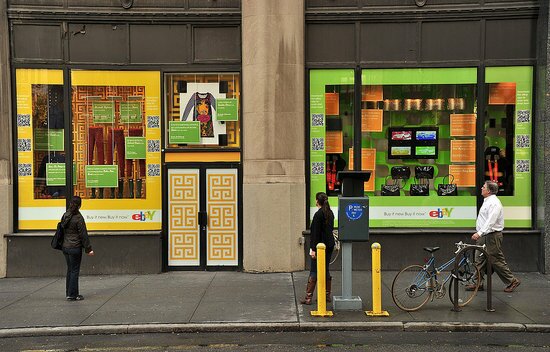
Connecting on-the-go browsing to buying. Smartphone shoppers are 14% more likely to convert and make a purchase in the store than non-smartphone users, according to data from Deloitte — the trick is to provide deep, location-relevant content that encourages purchasing. As a corollary benefit, developing mobile content intended for in-store use helps merchants quantify and track consumers’ movement across touchpoints – enabling them to tighten the mobile-to-purchase connection and justify further investment in mobile efforts. QR codes are increasingly prevalent, with one in five U.S. consumers having scanned one in the past month, so merchants would do well to experiment with this format for physical stores. As an extreme example, Burke showed how eBay has transformed its Inspiration Shop window at 404 Park Avenue South in New York into a buying opportunity using QR codes to link passersby to products and transactions.

eBay physical store with QR codes


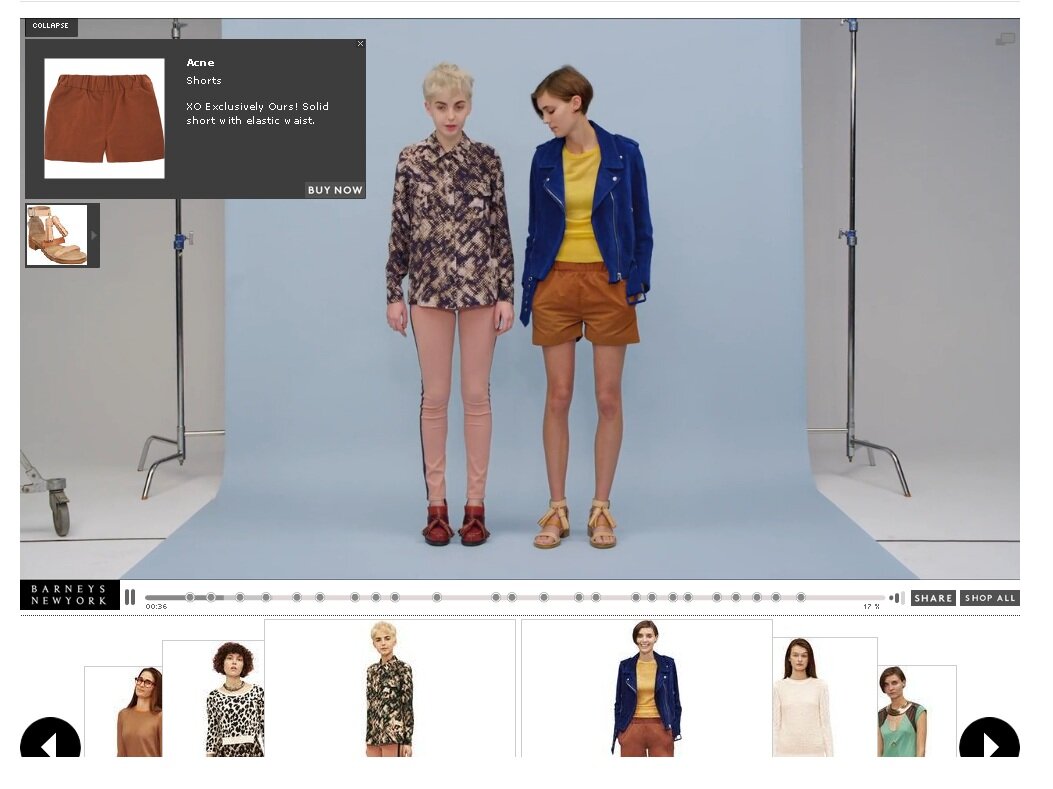
Embedding products in pictures. Merchants have long known that multiple images and product videos help increase conversion; now, it’s possible to make the transition from image to transaction even more seamless, with product links and displays built into rich media that can be syndicated far beyond the eCommerce site. Barney’s New York used a behind-the-scenes video to showcase products with a product popup display that allowed shoppers to add items to the cart without disrupting their viewing experience. A timeline across the bottom of the display lets shoppers scroll back to items of interest.

Shoppable video example from Barney's

Redefining social shopping. At first, merchants who wanted to monetize social media focused on Facebook stores as a way to enable shoppers to buy within the social environment. Those efforts have seen mixed success, largely because merely adding a “buy” button fails to take advantage of the unique properties of the medium. Rather, by integrating social data with products merchants can create an engaging experience for brand followers. On social networks, that means building interactive social media experiences that allow shoppers to share and tailor product arrays. But perhaps even more exciting is the prospect of bringing social data back onto the eCommerce site, where merchants can blend shoppers’ personal preferences and social data with relevant products using Facebook login and other social connector tools. When shoppers use Facebook in conjunction with accessory retailer Claire’s, they can access a “Fashion Feed” showing which items other shoppers — everyone or just friends — are tagging as favorites, and they can opt whether to add their product picks to the mix.

Facebook integration example from Claire's

Using social login is so important that we’re planning a post dedicated to best practices for implementation — watch for it in the coming week. Meantime, to access more key strategies for 2013, replay the webinar — and tell us: what are your priorities for the year?

Are you ready for the new Facebook format?

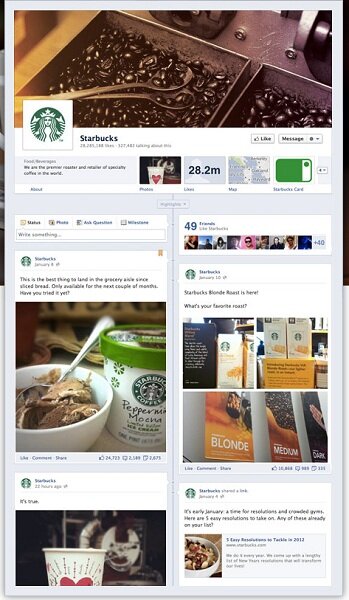
It’s said that change is the only constant, and the maxim is especially true when it comes to Facebook. Known for its continually-changing interfaces, layouts and policies, Facebook on February 29 announced a new iteration of business Pages that will incorporate the Timeline feature already introduced on individual profile pages back in December.

The new format, which features bold visuals and a host of other changes, will be mandatory for Pages come March 30 – giving merchants just over two weeks to put the finishing touches on their new presentations.

While it’s tempting simply to port over existing Facebook content, with maybe a few extra photos thrown in, merchant brands are better off fully embracing the new format, which requires an adjustment in fundamental strategy. Among the important mindset changes to make:

Find new ways to engage followers. The most disconcerting change for merchants is the elimination of the landing-page tabs, or “fan gates”, that enticed new visitors to “like” a page, often with offers of benefits such as exclusive discounts. Now all visitors will land on the same page, which includes recent posts like the Wall tab of old as well as a bold billboard-style image at the top and information on which friends “like” and have mentioned the page. But with the loss of the tabs, merchants gain new features that can help drive engagement and “likes”:

  • A prominent brand statement. Replacing the “Info” link which languished in the left-hand column, the “About” summary is now anchored front and center beneath the main photo, and should sum up the brand’s identity. Consider including customer service contact information or, at a minimum, a link to your eCommerce site.
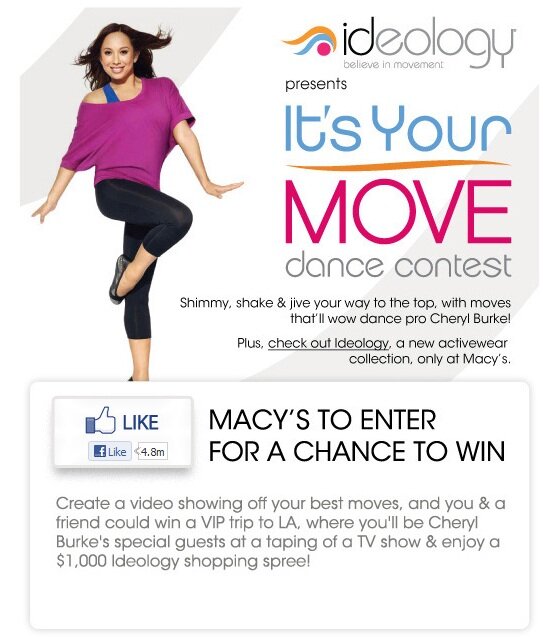
  • Showcasing apps. To the right of the “About” statement and the “Photos” link is space for links to three more links of the merchant’s choosing — a layout that favors merchants with custom features and apps that drive “likes”. Macy’s uses one of its slots for a dance contest promotion that requires participants to “like” the page to enter — helping boost followers.

Example of new Facebook page layout from Macys

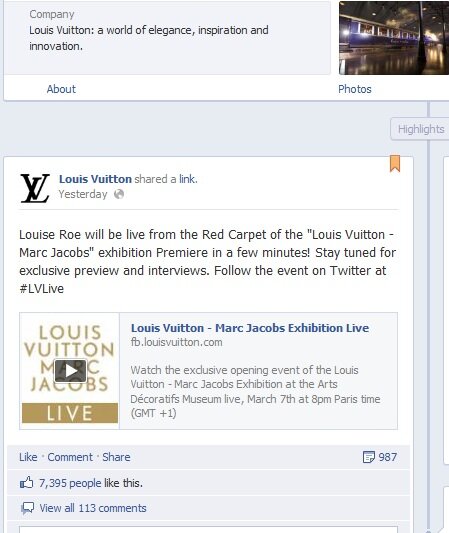
  • Featured content. Merchants can now “pin” posts to the top of the page for a week — giving them the opportunity to spotlight promotions to encourage visitors to “like” the page. Luxury brand Louis Vuitton has pinned a post about live coverage of a fashion event to the top of its page, with information about following the event on Twitter and a video — signaling to first-time visitors that the brand has plenty of up-to-the-minute news to share.

Example of new Facebook page from Louis Vuitton

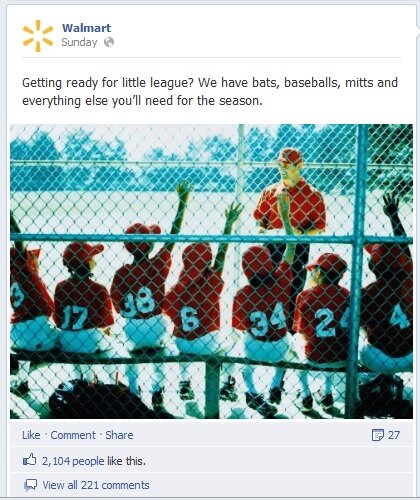
Think visual. The new Facebook page places a heavy emphasis on visuals. It’s not just the billboard-style image at the top of the page and the icons for apps; with the new column layout, there’s more room for photos, videos and graphics in posts. That means merchants should attach an image to almost every update — even if extra time and effort is required to find the right picture. The picture in Walmart’s post about sports gear for Little League not only depicts the subject, but contributes to the brand’s all-American image.

Example of new Facebook page from Walmart

Build a brand scrapbook. The new timeline format places a chronological navigation tool prominently at the top right of the page, giving consumers a chance to browse through years of posts and giving merchants an opportunity to share more of their brand stories. Outline key milestone dates for the brand and mine the archives for ways to convey them with images and text.

The jury is still out on whether these changes will help brands drive engagement and sales on Facebook — but by maximizing the opportunity, merchants can give it their best shot. For more information about the new format:

Have you made the transition to the new Timeline-focused pages? What challenges and opportunities does the new format bring?

3 Tactics for Boosting Facebook Page “Likes”

With the total number of users surpassing 800 million, Facebook is now an essential component of merchants’ sales and marketing arsenal. More and more brands are setting up outposts on Facebook pages; by one estimate, fully 80% of Internet Retailer’s Top 500 merchants use the site to reach customers and potential shoppers.

Of course, just having a Facebook page is only the first step. To truly integrate with shoppers’ Facebook browsing habits, merchants must convince shoppers not only to visit their pages, but to “Like” them – thereby enabling merchant updates to flow onto the shopper’s Facebook home page.

With so many individuals, brands and organizations hopping on the Facebook bandwagon, it’s crucial to offer a compelling “Like” proposition so your brand stands out above the fray. Consider these three tactics for attracting more “Likes” for your Facebook page:

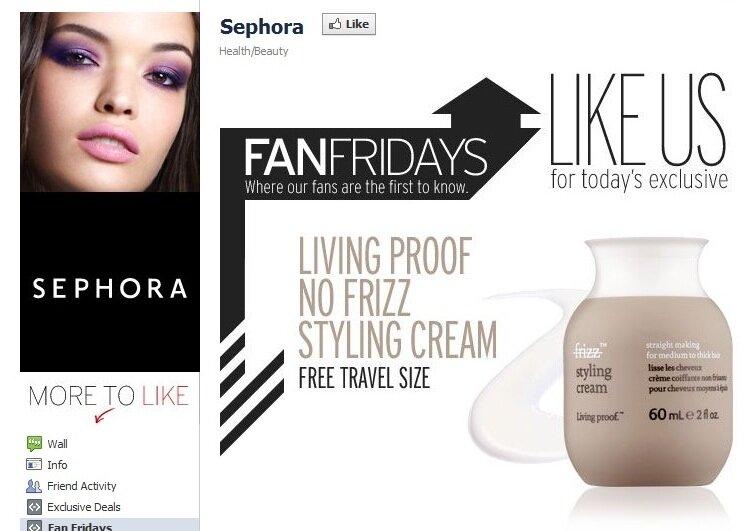
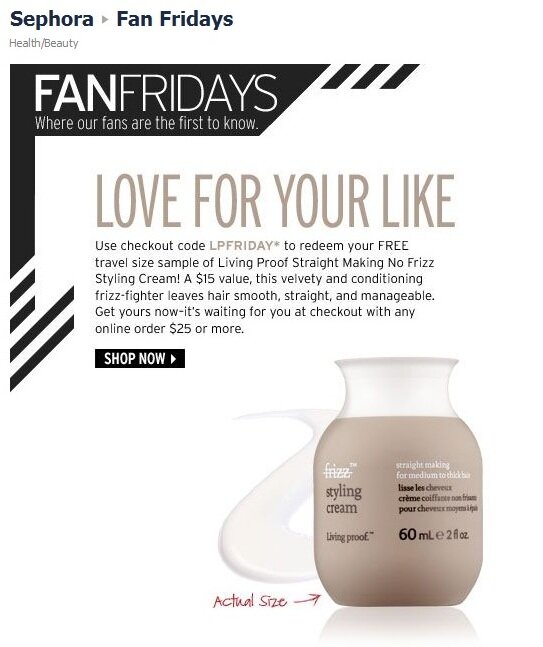
1)    Offer exclusive savings, immediately. While plenty of Facebook promotions promise shoppers that if they “like” a page, they’ll receive the latest news and up-to-the-minute notices of sales that are also promoted elsewhere, fewer brands promise exclusive savings solely for Facebook fans – and fewer still reward a “like” on the spot with a targeted offer. Beauty outlet Sephora messages its Facebook exclusives with a landing page touting “Fan Fridays,” when followers receive an exclusive discount code. After clicking “like,” the latest discount code is revealed on the same page.

Example of Facebook  "like" campaign from SephoraInstant-redemption promo code for Facebook followers of Sephora

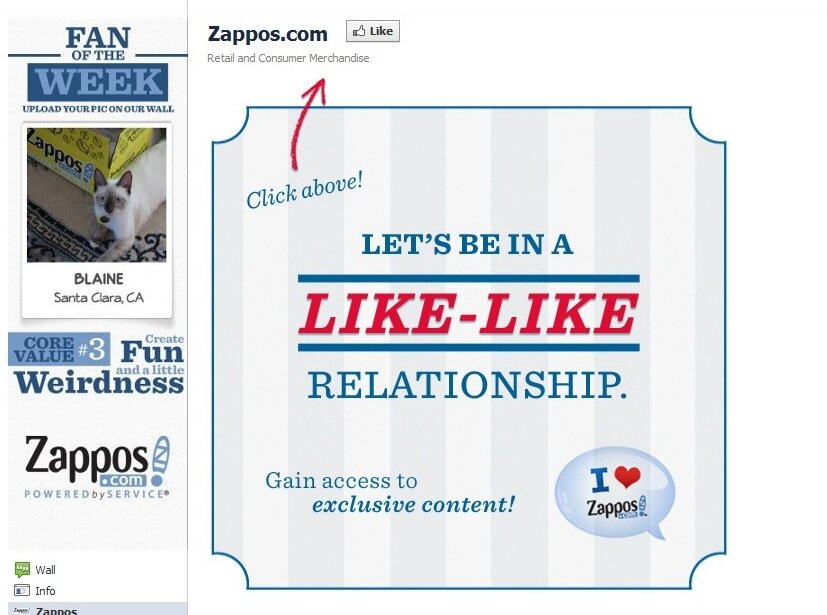
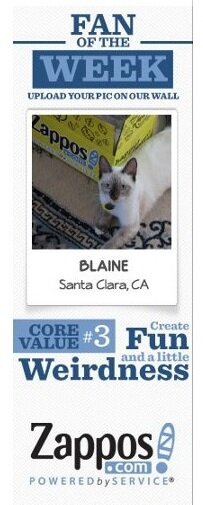
2)    Put a spotlight on fans with community. Give potential brand followers incentive to “like” the page by putting them front and center. In addition to broadcasted messages about new products and upcoming events, use status updates to ask followers questions and institute polls to encourage feedback. Mega-merchant Zappos.com instantly communicates the central role brand followers play on the page with its “Fan of the Week” promotion, whereby each week a photo of a follower with a Zappos box is featured as the brand’s main profile picture. Visitors to the landing page see the profile picture featuring the latest spotlighted fan, as well as an invitation to engage in a “like-like relationship” – verbiage that puts followers on an equal footing with the brand.

Zappos.com Facebook "like" campaignCloseup of Zappos.com "fan of the week" Facebook promotion

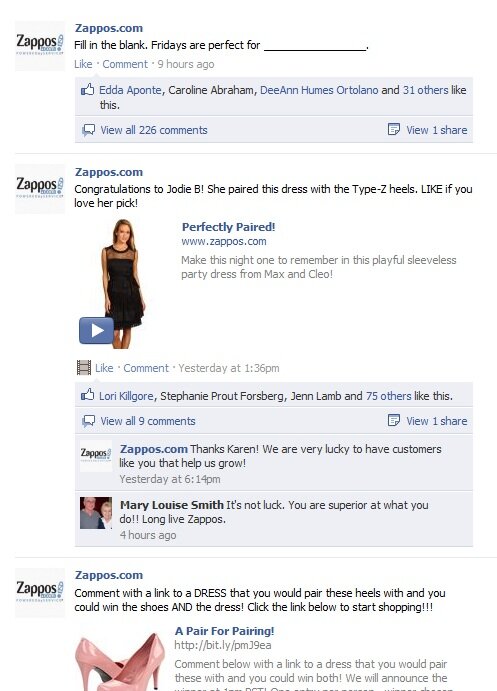
Followers that view the Zappos Wall see a bevy of posts inviting participation. A challenge to pair shoes with a dress is followed a few hours later by the name of the winning entrant, who received both products for free as the prize; while a third post invites followers to fill in the blank – a post that drew 226 responses.

Example of compelling Facebook status updates from Zappos.com

3)    Promote the page to brand followers in other channels. When it comes to building a Facebook following, you don’t have to start from scratch. Chances are your brand had a cohort of engaged shoppers before Facebook even existed – in the form of email subscribers, repeat customers and longtime catalog browsers. Reach out to them now if you haven’t already with an invitation to join the community on Facebook, too.

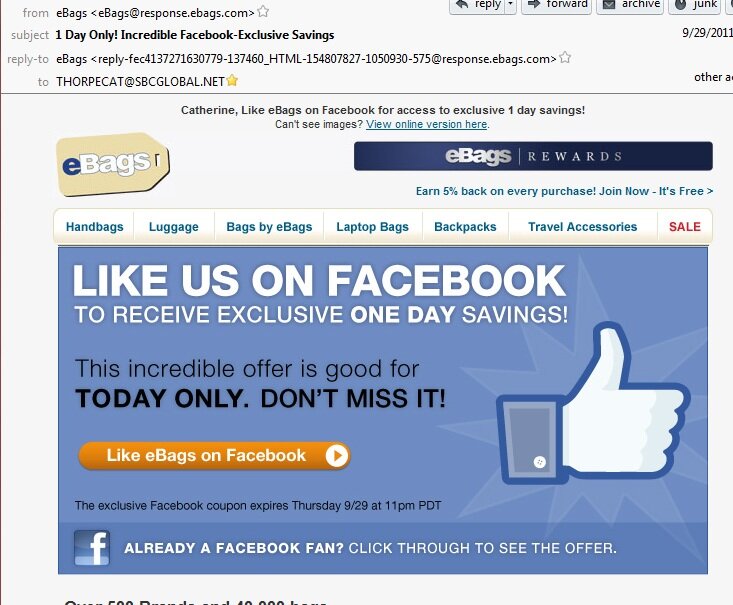
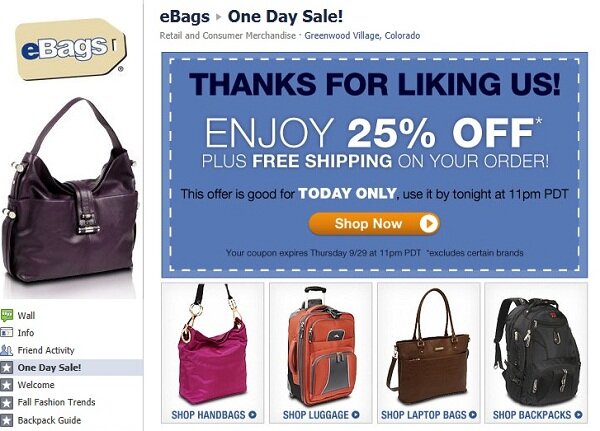
eBags sent a Facebook invitation to email subscribers promising an instant discount for “liking” the page. The urgent timeline of a one-day opportunity for savings prompts shoppers to act immediately on the message. Clicking the email delivers shoppers to a coupon, also good for just one day, for 25% off and free shipping – a powerful incentive to purchase.

compelling email calpaign promoting Facebook "likes from eBags


Email campaign to promote Facebook "likes" from eBags


What tactics have you found successful to drive Facebook page “likes”?

Switch to our mobile site

WordPress SEO fine-tune by Meta SEO Pack from Poradnik Webmastera